
Live ECG simulator

Free ECG and ventilator waveforms from physiology models, with lessons, practice strips and ACLS cases. New here? Start here

Current setupConnecting…

  • No added layers (rhythm only)
Rate

Connecting…0.0 s
HRrecent RR---/min

Configured
  • Connecting…

Live monitor not started.

Esc or F to exit full screen · I trace only

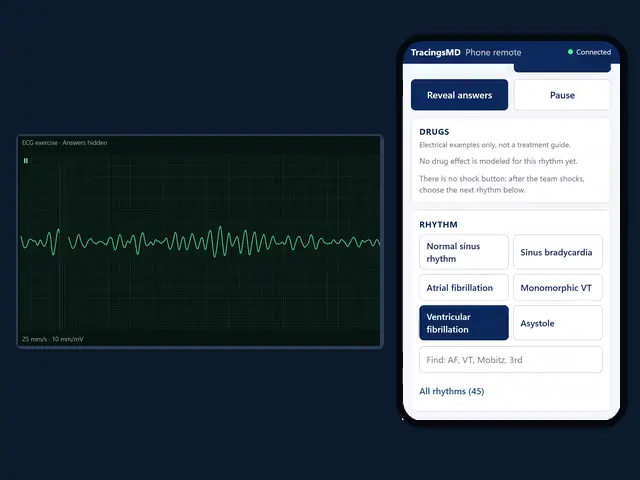
Phone remote runs from a big screen: open this page on a computer or tablet, press Phone remote there, then scan its code with this phone.

Save

Waiting for live samples…

Free files are for non-commercial teaching and study. Monetized channels, sponsored content, paid courses and commissioned videos need an Instructor Pack. What counts as non-commercial

Image & video

File shape

Motion & labels

On video & PNG

Engine model values. Hidden in presentation mode.

Simulated trace, not for diagnosis. Say so in your caption or description when you share it.

Trace data & link

Open saved trace (new tab)

Keep the JSON to replay the original samples later. Saved files include the answers.

Simulated ECG · not for diagnosis

View

Quiz me hides the rhythm name, settings, drugs and event labels while the same trace keeps running, with the simulated-ECG note under the monitor.

Class queueAdd the rhythm on screen, pick the next one and add it too. Start quiz then shows them in order with the names hidden.
Start here
  1. Choose a rhythm from the list, or search for one (AF, VT, Mobitz).
  2. Change the rate and watch the same heart respond.
  3. Press Quiz me to hide the name, guess the rhythm, then Reveal.

New to ECG? Start with ECG lessons, then ECG Practice.

The row under the monitor (More tools on a phone) holds the lead, speed, gain, background, Intervals and Measure. Save gives a PNG and Record a video; Build adds the layers (conduction, ST, ectopy, pacing, drugs). Switching to a different rhythm clears added layers, noise and drugs; re-selecting the current rhythm keeps them.

Teaching a class? Switch to Build, open Queue beside Quiz me and press + Add current for each rhythm. Start quiz shows them in order with the names hidden; Next rhythm (→, N or a clicker's PageDown) moves on, or picks a random rhythm when the queue is empty.

Starting the continuous monitor…
Heart settings

Edit the selected rhythm.

Change rate and variant here. Build adds natural variation, conduction, ectopy, pacing, ST · QT · K⁺ and drugs.

Rotate the phone for a longer trace (about 7 s at 25 mm/s).

Variant
Representative
Compare variants

Model variants of the same rhythm, not severity levels. Variant and natural variation carry over when you select another rhythm.

Breathing and slow drift in timing and shape. 0% removes only this background: rhythm-specific irregularity (AF, MAT and others) remains, and pacing intervals stay fixed.
NoiseOff
Slow drift, as from breathing (about one cycle every 4-5 s).A different rhythm turns noise off; the 50/60 Hz choice stays. Noise is never part of the measured intervals.

Class & saved data

Teaching & scenarios

Reusable scenario

Build an ordered list of setups and drug actions (no dosing model). Apply manually or run at simulation times relative to Start. Pause also pauses the sequence; Cancel leaves applied changes and residual drug effects in place. Loading only previews. This reuses instructions in the same heart, not an earlier waveform.

Not running. Step times are relative to the simulation head when started.

Stored in this browser; download a copy for another device.

    Events & saved data
    Events & bookmarks 0

    Bookmark the last visible sample, including while reviewing. Select an entry to pause and view the trace ending just after that time. These are actions and notes, not confirmed captures or diagnoses.

    Visible trace JSON includes entries in its interval. CSV contains samples and the medication state at each sample. The event log saves times and labels; it does not restore expired waveforms. Downloads are SIMULATED and not for diagnosis.

      Save interval & replay

      Save a retained interval

      Pause, then select start and end times within the retained trace (up to 30 seconds). Times use the 500 Hz sample grid; the end is exclusive. JSON includes setup history and events. This saves original samples, not a cropped video.

      Replay saved samples

      Open a downloaded trace or recording JSON in a separate viewer. Original samples and times are preserved; the viewer does not run an engine.

      Open saved-trace viewer